

RCV7
RCV7 is a Rig Control Software for Kenwood's TM-V7 FM Dual Band Transceiver
Program info
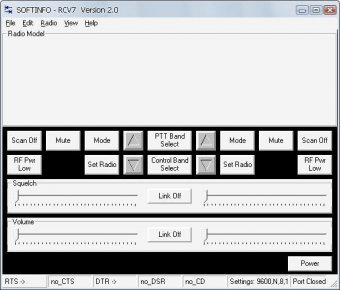
RCV7 is a Rig Control Software for Kenwood's TM-V7 FM Dual Band Transceiver. Connect your Kenwood PG-4S PC interface cable to the PC and the radio. Turn on the radio. The radio will sense the presence of the data cable and switch the radio data connection from audio (TNC) to data (PC) mode.
The application it is pre-configured for COM 1 (one of 16 com ports) which may not be correct for your specific computer configuration. You will need to check this carefully.
If the application does not display radio information or presents error messages, you may need to check connections and com port assignments. Be sure that no other application is running that may have assumed control of the com port you selected for the RCV7 program. Use the View – Options – Port menu to change the com port assignment to match your computer configuration
Details
Extensions

No information available
The data will be available later.Old versions

No information available
The data will be available later.


Comments
In the RCV7 program, select View - Options - Port and select COM3, then select Radio - Port Enable. The radio data should populate the RCV7 display. Works great for those TM-V7 radios with a bad display. More